Company news
Product release: digital custom forms for civil construction
- Published
- Updated
- Reading time
- 3 min read
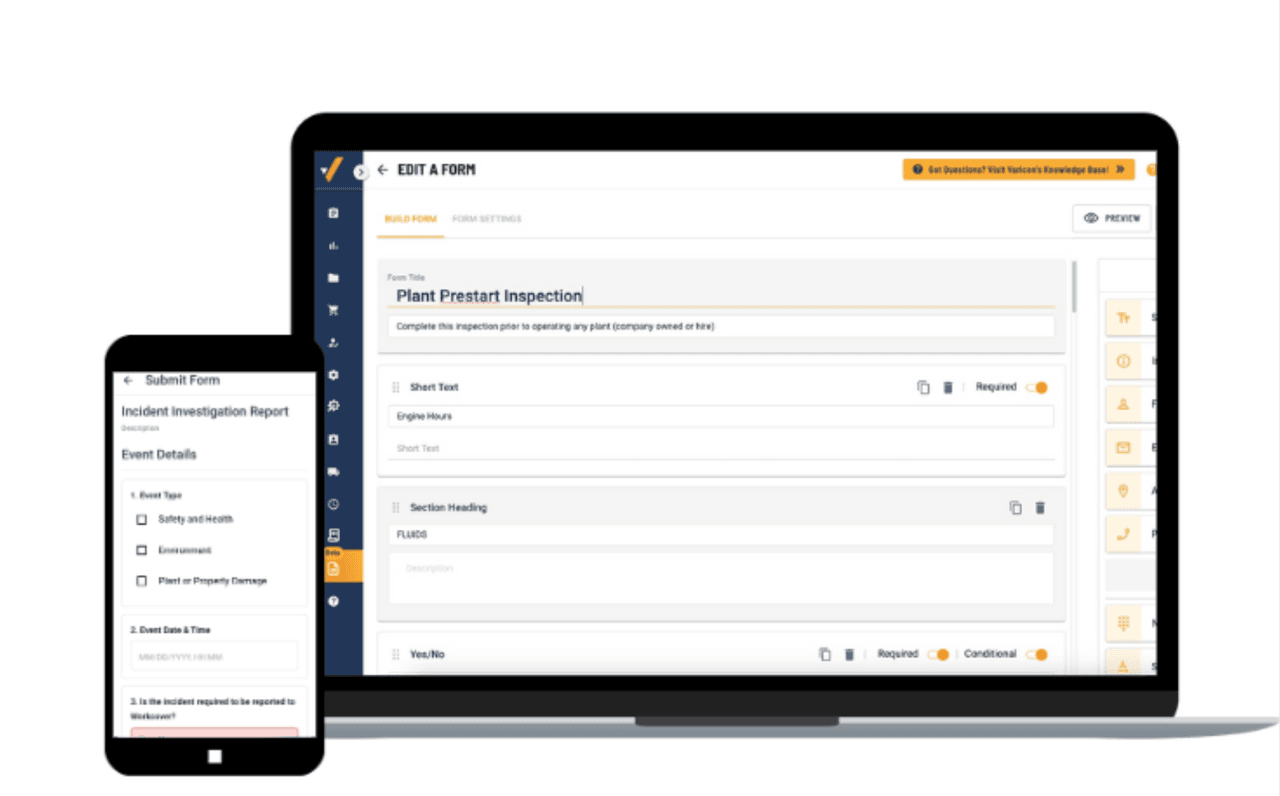
Varicon now has digital custom forms, built for the way civil contractors work. Build the forms your business uses, fill them in on site and keep every submission in one place, instead of piles of paper.
Why take your paper forms digital?
Forms are essential records on construction projects, for processes from safety checks to inspections. Paper forms used to be the norm, but they are messy, hard to track and easily lost.
Digital forms give you the information as soon as it is submitted, cut manual data entry and paperwork, and connect to the rest of your records. That means better communication between site and office, and better decisions.
Ten forms civil contractors can build in Varicon
Here are ten forms you can create with Varicon’s drag and drop form builder:
- Equipment prestart forms. Check that equipment is inspected and safe to use before work starts.
- Site induction forms. Give new workers the essential information about the site, safety protocols and emergency procedures.
- Incident reporting forms. Report incidents and near misses quickly, so problems are dealt with and do not happen again.
- QA and QC inspection checklists. Build inspection checklists for each project’s requirements.
- Safety audit forms. Run regular safety audits to find hazards and record corrective actions.
- HR forms. Take processes such as annual leave requests off paper, with a clear record of each one.
- Site request forms. Let people request resources, permits or approvals, so requests are not lost.
- Toolbox talk forms. Record agenda items, attendees and minutes, so critical topics are covered and documented.
- Daily prestart forms. Standardise daily prestarts with checklists, so every task is done before work starts.
- SWMS (safe work method statements). Create and manage SWMS that set out safe work practices, hazard controls and emergency procedures for a task.
Ten features of Varicon custom forms
- Drag and drop form builder. Build forms to suit your requirements in a simple drag and drop interface.
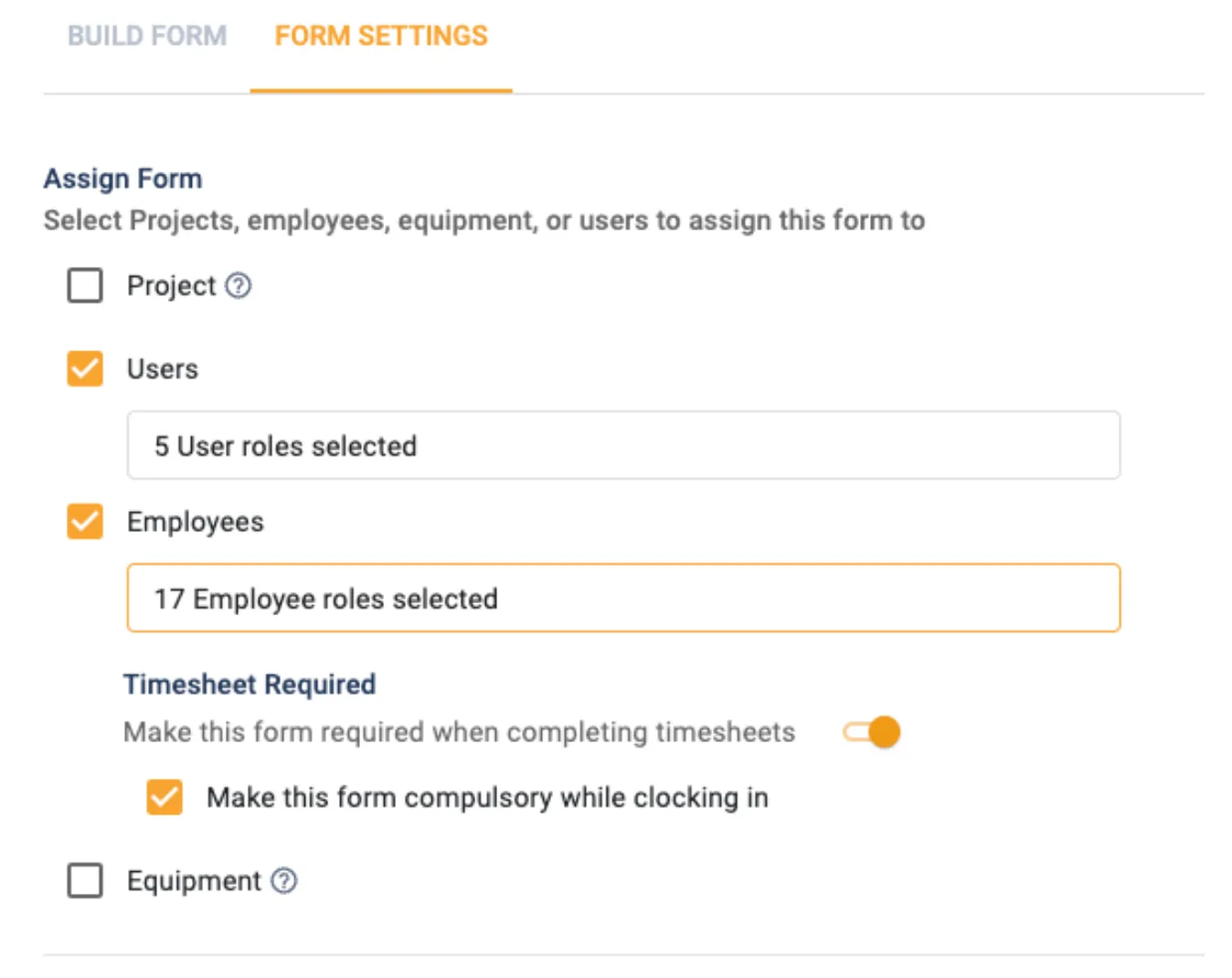
- Assign forms to projects, users or equipment. The right people get the right forms, and some forms can be limited to certain users in your company.
- Notifications triggered by answers. Alert the right people when a particular answer is submitted, so they can act on it.
- Tags to group forms. Organise forms with your own tags, so related forms are easy to find.
- Required forms. Make a form compulsory and tie it to timesheets, so essential daily tasks are completed and recorded.
- Location, date and time. Each submission records its geo-location, date and timestamp, giving you an audit trail.
- Web and mobile app. Fill in and review forms on the web app and the mobile app.
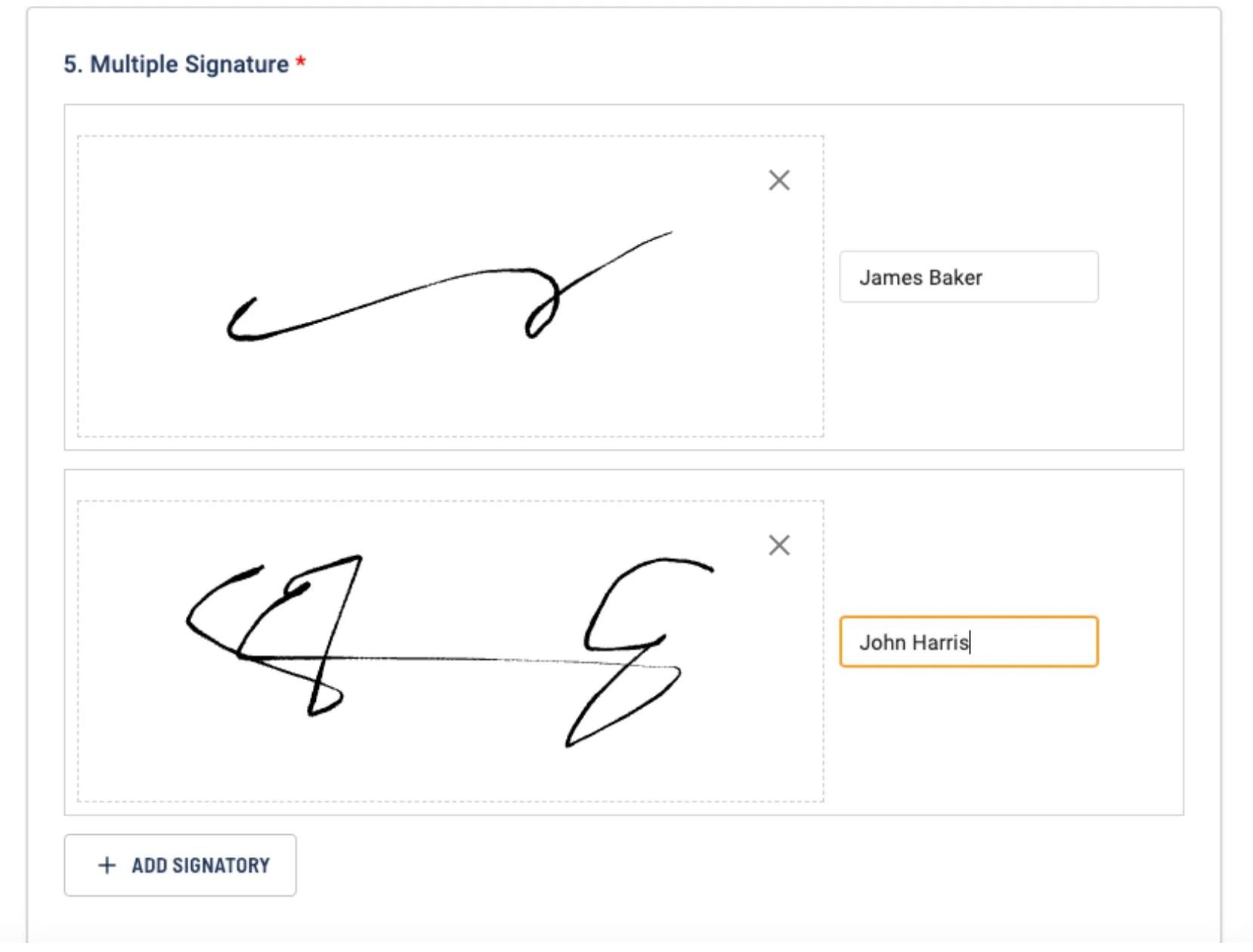
- Digital signatures. Capture signatures for accountability, with more than one signature per form, ideal for toolbox talks or dayworks dockets.
- Linked to your Varicon data. Pick employees, projects, clients or suppliers from lists already in Varicon, so nobody retypes them and entries stay consistent.
- PDF downloads. Download a submission as a PDF to share or file it.
See custom forms on your own jobs
Ready to take your forms off paper? See how construction forms work in Varicon, or book a demo.