Free template
Free progress claims template
Claim each period’s work against your contract schedule and approved variations, with the amounts worked out for you. Download the Excel workbook, or a PDF to print and fill in by hand.
What is in the template
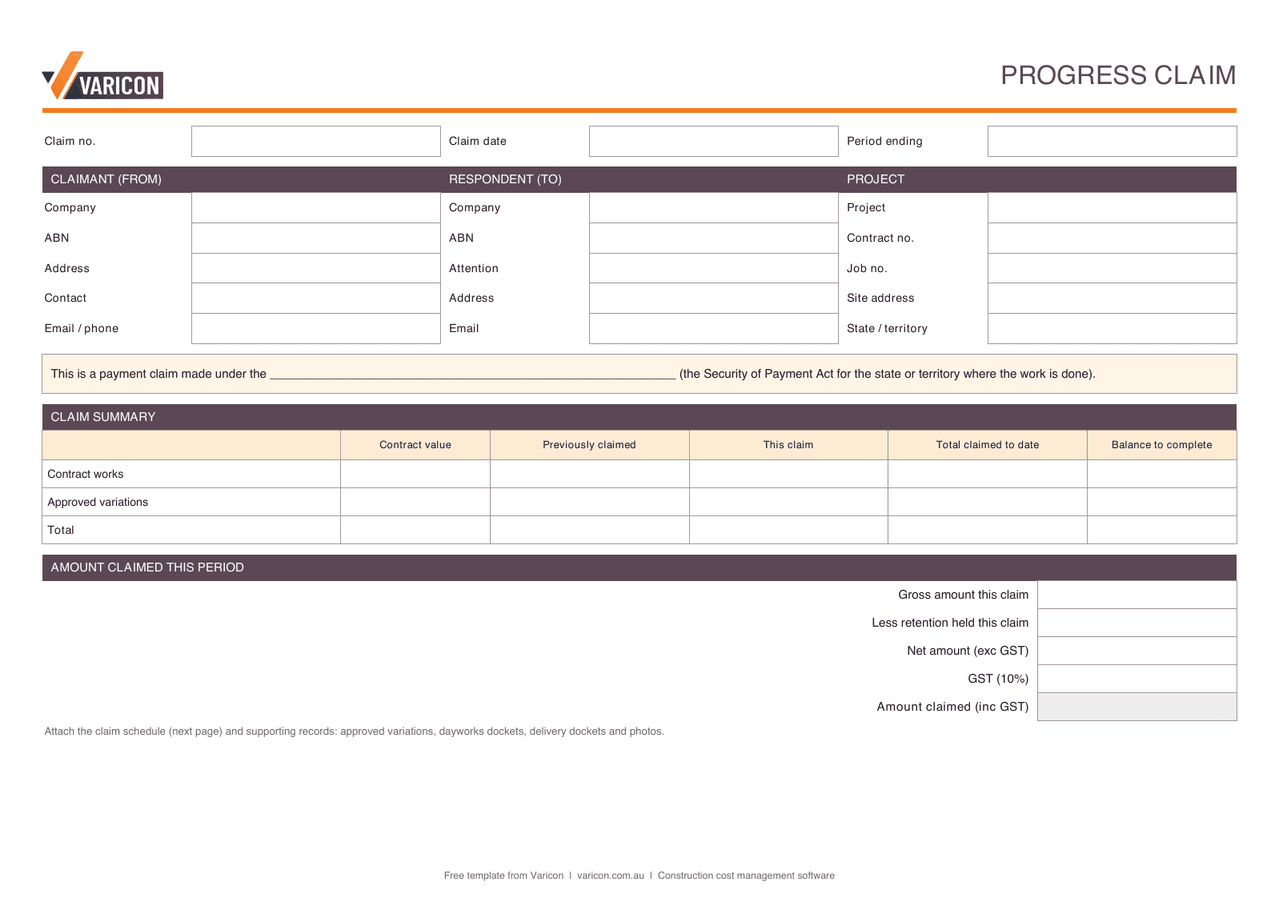
Two landscape A4 pages, the claim and its schedule. In Excel they are two sheets in one workbook.
- The claim
- Claim number, claim date and period ending, then the claimant, the respondent and the project, with the contract number, site address and state or territory.
- Claim summary
- Contract works and approved variations by contract value, previously claimed, this claim, claimed to date and balance to complete. Then retention, GST at 10% and the amount claimed.
- Claim schedule
- Fifteen lines of contract works and eight approved variations, each with quantity, rate and value, the percentage and amount claimed before, to date and this claim, and the balance.
- Worked out in Excel
- Each value is quantity times rate, amounts follow the percentage complete, and the totals, GST and amount claimed fill in. A percentage above 100% or below the last claim turns red.
How to use the progress claim
- Download the Excel workbook, or the PDF to fill in by hand.
- On the claim schedule, enter each line of your contract schedule with its unit, quantity and rate.
- Each period, enter the percentage complete to date for each line, and enter the percentage to date from your last claim as Prev. %. The schedule works out the amount previously claimed, claimed to date, this claim and the balance to complete.
- Add approved variations to their own table in the same way.
- On the claim, fill in the claim number, the dates, your details, your client’s details and the project. In Excel, pick the state or territory to fill in the payment claim statement. On the PDF, write in the name of the Act.
- Enter any retention held this claim, and check the GST and the amount claimed.
- Attach the claim schedule and your supporting records, send the claim and keep a copy for your records.
Getting claims approved without a fight
Agree with your client before the job starts how progress on each item will be measured, what they need to support a claim and how long they take to approve and pay. During the job, talk through a draft with the superintendent before you submit, and agree completed work zones as you go. Submit close to the due date with your supporting documents attached, and follow up if a claim is not approved on time.
At practical completion, as your contract defines it, claim the release of retention or bank guarantees. Set a reminder for the final release at the end of the defects liability period.
When the spreadsheet stops working
If you are rebuilding the claim each month, or chasing which version was approved, Varicon progress claims build each claim from your contract and the last approved claim. Approved variations are added to the next claim and retentions are calculated as part of it.
How Varicon helps
The same claim, worked out from your contract in Varicon
The workbook adds up each claim for you. In Varicon each claim starts from the last approved one, approved variations are added, retention is calculated, and you can see where every claim is up to.
- Built on the last claim
Each claim builds on your most recent approved claim, so your claims stay consistent from one to the next.
- Retention and variations included
Retention is calculated in each claim, and approved variations are added to it for you.
- Dayworks ready to claim
Dayworks dockets carry claim amounts worked out as each docket is created.
Templates
Dayworks docket template
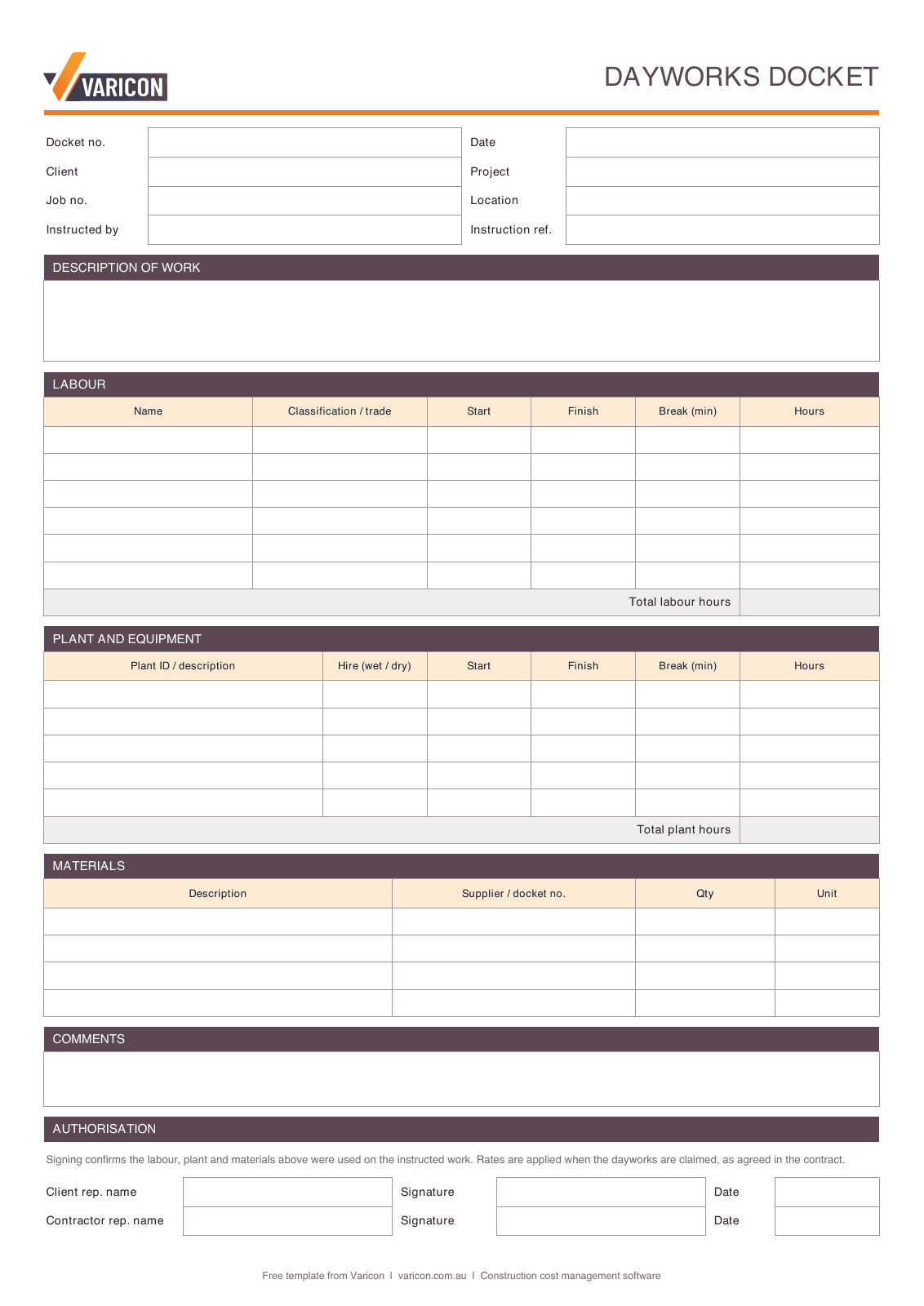
A docket for work done on day rates, with the instruction, labour, plant and equipment, materials, and sign-off by client and contractor.
Free download: Excel, Word and PDF
Daily site diary template
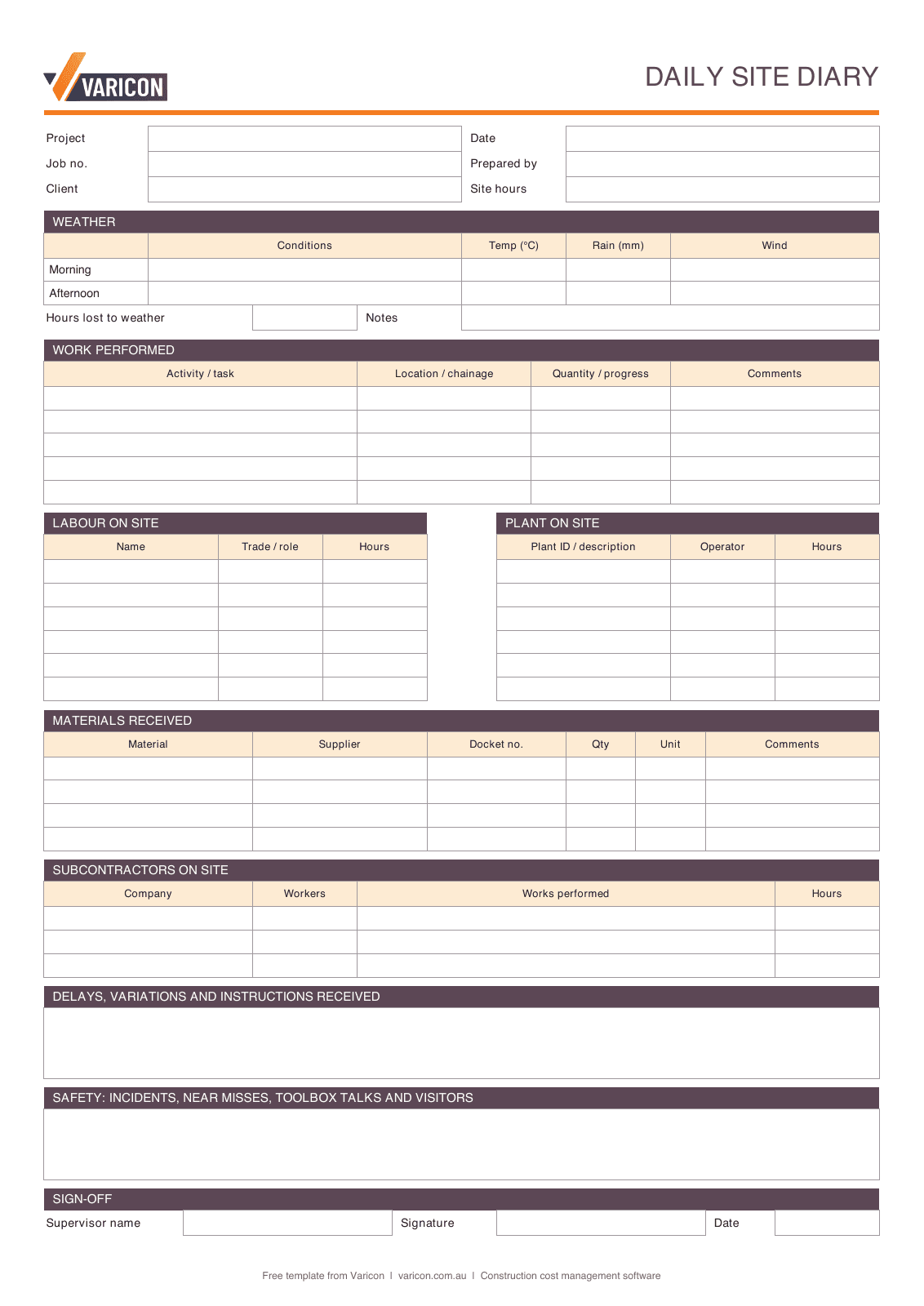
A one-page daily diary for a civil job, with weather, work performed, labour, plant, materials, subcontractors, delays and safety.
Free download: Excel, Word and PDF
Purchase order template
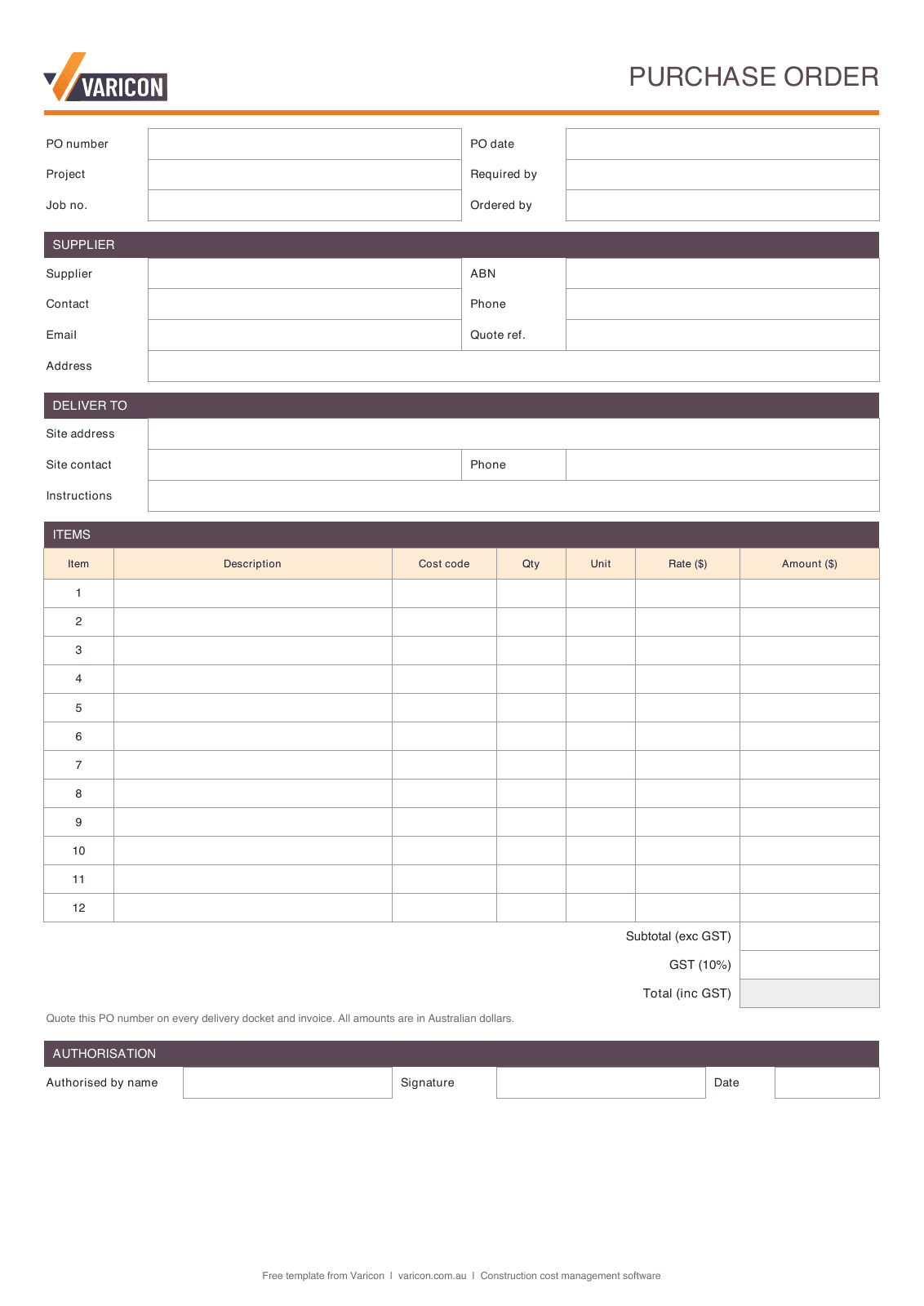
A one-page purchase order with supplier and delivery details, 12 item lines with cost codes, then subtotal, GST and total.
Free download: Excel, Word and PDF
Customer stories
Central Vic Civil
60% less time running payroll, and no more double handling, at Central Vic Civil
Central Vic Civil builds roads, bridges, subdivisions and sewer and water infrastructure around Ballarat. Varicon replaced separate, manual processes with one system.
Civil Force
10% more variations revenue, and no more double ordering, at Civil Force
Civil Force managed contracts and variations in Excel and purchase orders across inboxes. Varicon put variations, orders and timesheets in one place.

MineMend
Claims approved in half the time, with 30% less double handling, at MineMend
MineMend rehabilitates mine sites in Queensland. Varicon gives it one place for claims, dayworks, prestart and safety forms, timesheets and job costs.
Questions and answers
Excel (.xlsx) and PDF. There is no Word version of this template. Both have the claim and the claim schedule. The Excel workbook works the amounts out for you, and the PDF is for printing and filling in by hand.
Whatever your client needs to check it quickly, in a format that is easy to review. The template suggests the claim schedule, approved variations, dayworks dockets, delivery dockets and photos. Ask your client before the job starts what they expect to see.
Add each approved variation to the approved variations table on the claim schedule. Its totals are added to the contract works on the claim summary.
The Excel version does. GST is 10% of the net amount, after retention. The template is set up for Australian GST, so change the formula in the Excel version if a different rate applies to you. On the PDF, fill the amounts in yourself.
The claim states that it is made under the Security of Payment Act of the state or territory where the work is done. In Excel, pick the state or territory and the statement fills in the name of that Act. On the PDF, write the name of the Act on the line. The wording is for Australian jobs, so change it in the Excel version if your work is elsewhere.
No template can promise that. Check the claim against the legislation and the contract that apply to your job, and ask your own adviser if you are unsure.
Site-proof civil software
See how Varicon would work on your jobs
Show us how your crew and office work today. We will show you how hours, dockets and variations flow through to payroll, claims and job costs.