Free template
Free construction timesheet template
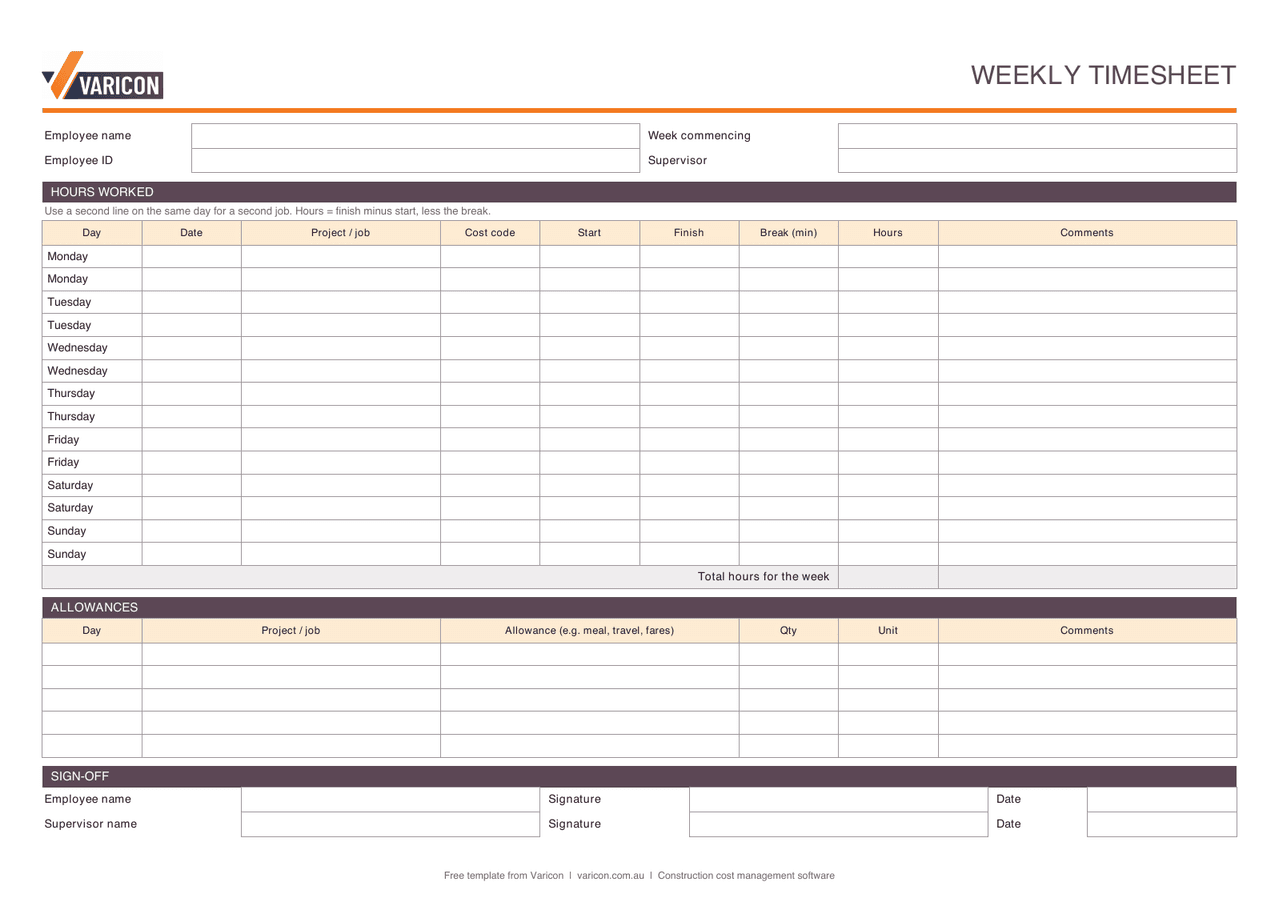
A weekly timesheet for civil crews. Record each worker’s hours by day, project and cost code, add allowances, then sign it off. Download it in Excel, or as a PDF to print.
What is in the template
One A4 sheet for each worker for each week.
- Worker details and sign-off
- Employee name, employee ID, week commencing and supervisor at the top, and the employee’s and supervisor’s name, signature and date at the foot.
- Hours worked
- Two lines for each day from Monday to Sunday, so a second job on the same day gets its own line. Date, project or job, cost code, start, finish, break, hours and comments.
- Hours added up in Excel
- Each line’s hours are finish minus start, less the break, and the week is totalled for you. Enter times as 6:30 or 15:00.
- Allowances
- Day, project or job, the allowance (such as a meal, travel or fares), quantity, unit and comments.
How to use the timesheet
- Download the template in Excel or PDF.
- Add the worker’s name, employee ID, the week commencing date and the supervisor.
- Each day, record the date, project, cost code, start and finish times and the break in minutes. If the worker moves to a second job, use the second line for that day.
- In Excel the hours and the weekly total fill in for you. On the PDF, work out each line’s hours: finish minus start, less the break.
- Add any allowances, such as meals, travel or fares, with the quantity and unit.
- The worker and the supervisor sign and date the sheet, and it goes to payroll.
Why keep a timesheet for every worker
A weekly timesheet records the labour hours on each project, so you can see where your crew’s time goes. Those hours are the basis of your labour costs, so accurate sheets help you cost each job. A cost code on each line puts the hours against the right part of the job, not just the job as a whole. Timesheets are also part of the records your sites and auditors ask for.
When paper timesheets stop working
If you spend each week chasing sheets and retyping hours into payroll, Varicon timesheets let your crew log hours on a phone or a shared site tablet. Supervisors approve them, and approved hours flow to payroll in your accounting system.
How Varicon helps
The same timesheet, logged on site and approved in one go
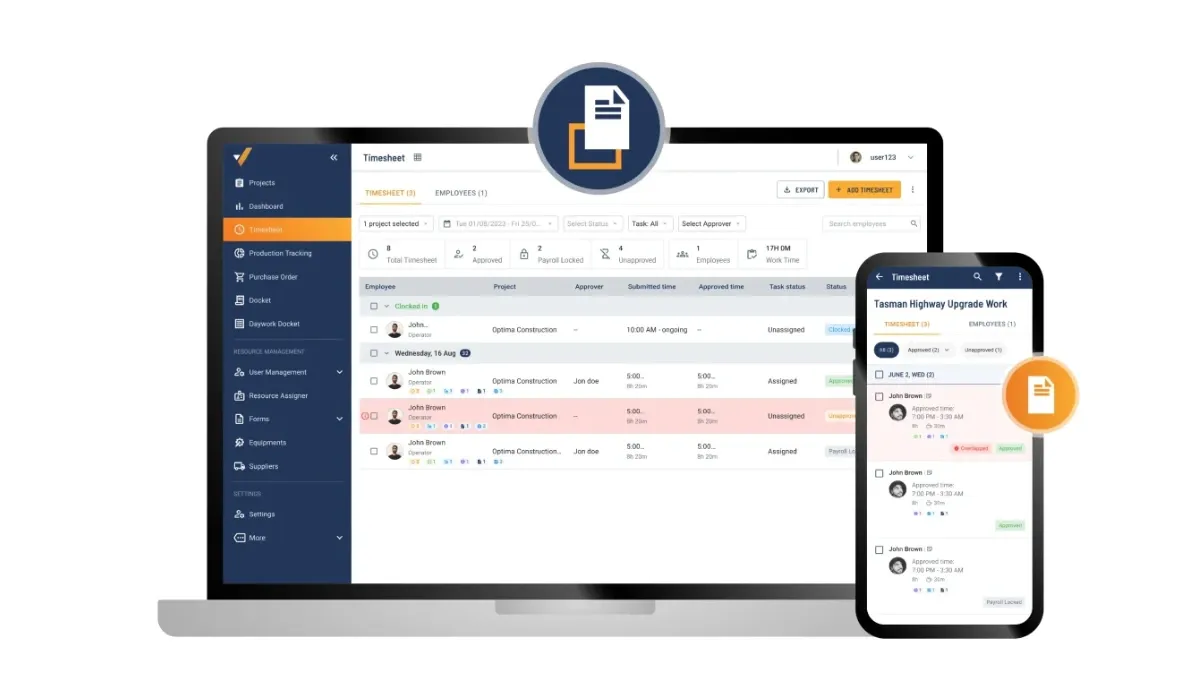
The template records a worker’s week. In Varicon each worker clocks in and out on site, supervisors approve the hours in bulk or one by one, and approved hours flow to payroll in your accounting system without being typed in again.
- Clocked in, not written up
Workers clock in on a phone or the site kiosk and pick the project and equipment for the shift.
- Approved per project
Set who approves on each job, and workers see whether their timesheets are approved.
- To payroll and the job
Approved hours export to payroll in Xero or MYOB and are captured as labour cost on the job.
Templates and guides
Template
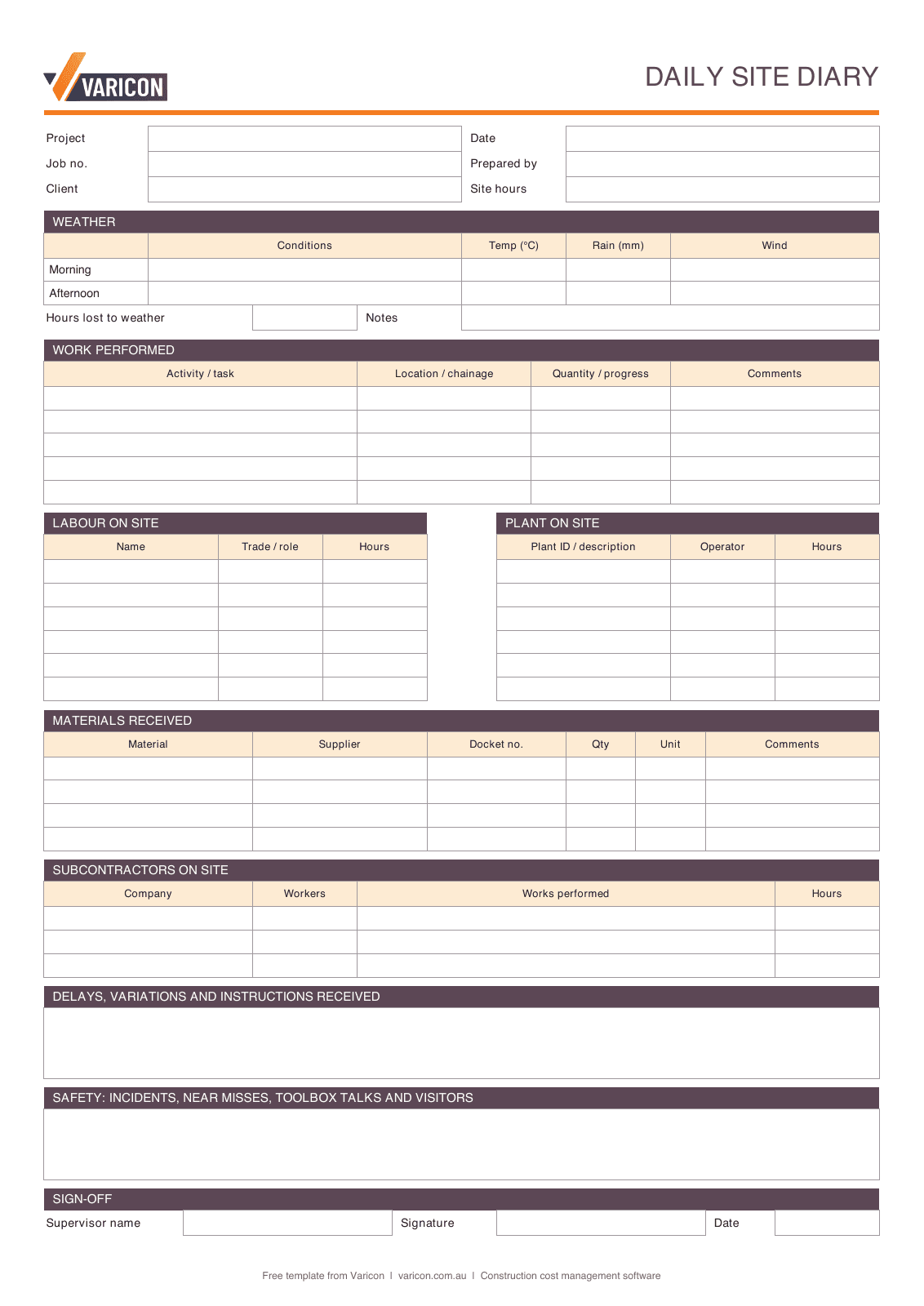
Daily site diary template
A one-page daily diary for a civil job, with weather, work performed, labour, plant, materials, subcontractors, delays and safety.
Free download: Excel, Word and PDF
Template
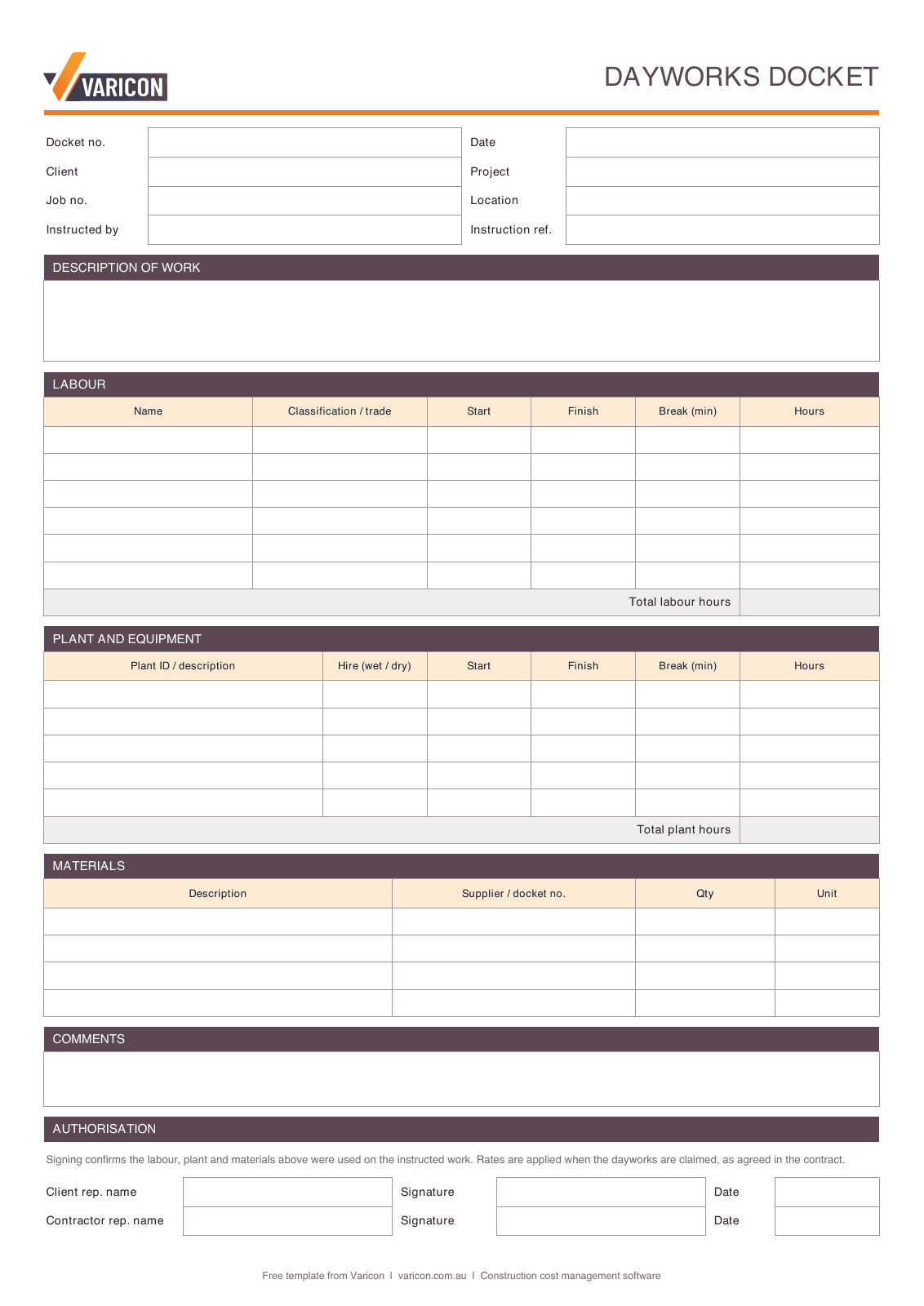
Dayworks docket template
A docket for work done on day rates, with the instruction, labour, plant and equipment, materials, and sign-off by client and contractor.
Free download: Excel, Word and PDF
Guide
From site timesheets to payroll without the retyping
Capture hours on site as the work happens, have a supervisor approve them once, then send approved hours to payroll in your accounting system, with pay rules set up by employment type.
Customer stories

ABM Landscaping
10% more dayworks captured and 5-7 hours a week off payroll at ABM Landscaping
ABM Landscaping’s crews work across many sites around Perth. Varicon gives them one place for timesheets, payroll, dayworks dockets, forms and photos.

Beltrame Civil
How Beltrame Civil collects site data for payroll, job costs and reporting
David Beltrame on the difference Varicon has made to how Beltrame Civil collects data on site and in the office, and to payroll, job cost tracking and reporting.

Collective Civil
Payroll admin cut by 50% after Collective Civil took timesheets off paper
Paper timesheets came into the office in piles and were typed into Excel. Collective Civil now captures hours, allowances and machinery on site with Varicon.
Questions and answers
Excel (.xlsx) and PDF. There is no Word version of this template. The PDF is for printing and filling in by hand.
The Excel version does. Enter the start and finish times and the break in minutes, and each line shows the hours, finish minus start less the break, with the total for the week below. On the PDF, work the hours out by hand.
Use the second line for that day. Each line has its own project, cost code and hours, so the time goes to the right job.
Yes. Add or edit fields to match your project. The Excel version is the easiest to change.
The Excel file opens in Microsoft Excel and in other spreadsheet software that reads .xlsx files, such as Google Sheets.
Every day. Filling it in daily keeps the hours accurate.
Site-proof civil software
See how Varicon would work on your jobs
Show us how your crew and office work today. We will show you how hours, dockets and variations flow through to payroll, claims and job costs.