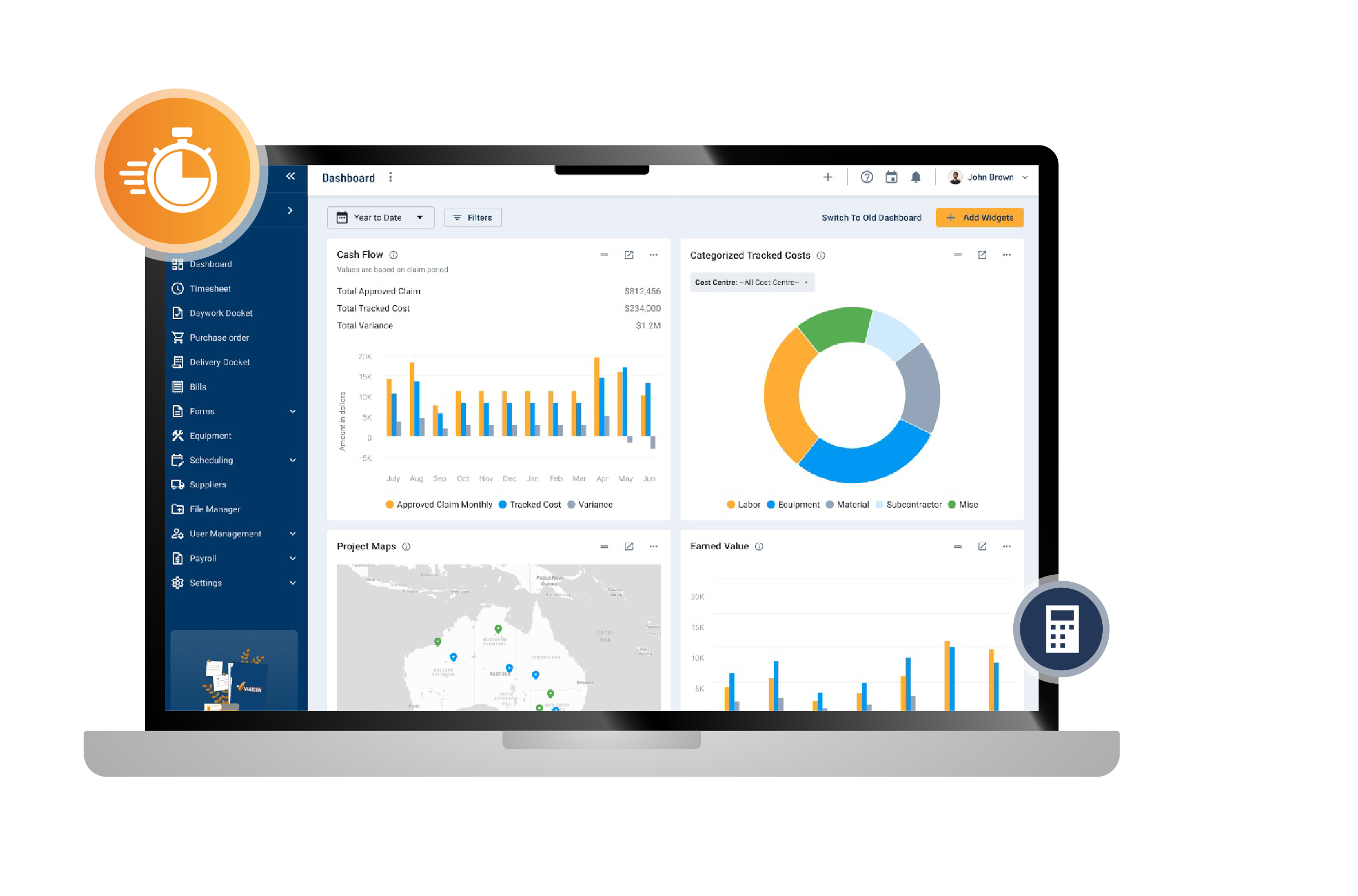
The easiest way to understand automated accounts payable is to follow a single bill. Here's what happens to a quarry invoice in Varicon, from the moment it arrives to the moment it shows as paid.
Working with civil contractors like Rawco, Rainbow Group, Peninsula Civil and Joslyn Group
Follow One of Your Own Bills Through
Why Civil Contractors Choose Varicon
Book a demo and we'll walk through accounts payable using your own jobs and workflows. No obligation.
Three systems consolidated into one (Morton Civil Contractors)
Job Cost Visibility
OCR and AI Invoice Capture
Three-Way Matching
“The real-time visibility is saving us well into six figures.”
Greg Joslyn Managing Director, Joslyn Group
We respect your privacy. Your information will only be used to provide you with a personalised Varicon demo.
Why Manual Accounts Payable
Eats Up Your Week
Monday: a quarry invoice arrives by email for three loads of road base delivered last week to the Stage 2 job.
In a manual process, someone opens it, finds the PO, digs out three dockets, emails the project manager and waits. Then they key it into the accounts.
If one of those dockets is missing, the bill either waits for days or gets paid anyway.
Here's the same bill in Varicon.
Where the time goes:
Opened by hand. Someone has to notice the email and save the PDF.
Matched by hand. PO and dockets found and compared manually.
Approved by email. The PM signs off when they get to their inbox.
Keyed by hand. Details retyped into the accounting system.
Status by phone call. The supplier rings to ask whether it's been paid.
See It With Your Own Jobs
Book a demo and we'll show you how Varicon handles accounts payable for civil contractors.
The invoice is captured with OCR and AI extraction: supplier, amount and the three line items are read automatically.
Varicon lines it up with the Stage 2 purchase order and the three delivery dockets your crew captured on site. Because it's within the project manager's dollar limit, it goes straight to them, and they approve it on their phone.
The approved bill syncs to your accounting system with the right account and tracking category, and once it's paid, the status comes back into Varicon.
Where the time comes back:
Captured in Seconds
No saving PDFs or retyping line items.
Checked Against Site
The dockets your crew captured are already there to match.
Approved From Site
The project manager signs off on their phone.
Posted Without Retyping
The bill reaches your accounts already coded.
Status You Can See
Paid or not, it's visible in Varicon.
Good automation is boring: it does the same job correctly every time and leaves your team to deal with the exceptions.
Accounts Payable
Accounts Payable Features
The tools civil contractors use every day for accounts payable, connected to the rest of Varicon.
OCR and AI Invoice Capture
Scan supplier bills and let AI extract the details in bulk. Each contract includes 50 free OCR scans a month.
Three-Way Matching
Match POs, delivery dockets and supplier bills to confirm an invoice is right before you pay it.
Approval Rules by Role and Limit
Decide who approves what, and up to what amount. Approvals happen on mobile.
Purchase Orders From Site
Crews raise job-specific POs on their phone and draw them down against multiple dockets and invoices.
Accounting Sync
Send bills and POs to Xero, MYOB, QuickBooks or Acumatica, and pull payment status back.
Job Cost Visibility
See committed and actual costs per job as bills are approved, next to labour and plant.
Talk to Us About Accounts Payable
Book a demo and we'll show you how Varicon handles accounts payable for civil contractors.
“We were managing our business through a bunch of disconnected softwares and Excel sheets.”
Rob Zagari General Manager, Rainbow Group
Frequently Asked Questions
The bill won't fully match its purchase order and delivery dockets, so it's flagged for someone to check instead of flowing through to approval. That's usually where short deliveries and wrong charges get caught.
Whoever you set up by role and dollar limit. Bills are routed to the right person automatically, and approvers can review the bill next to its PO and dockets in the mobile app before signing off.
Your crew captures delivery dockets on site in the Varicon app when the load arrives. The docket is linked to the job and PO straight away, so it's there to match when the supplier's bill comes in.
In your accounting system: Xero, MYOB, QuickBooks or Acumatica. Varicon syncs approved bills across for payment, and payment status syncs back so project managers can see what's been paid without asking accounts.
Yes. Bills can be uploaded in bulk and read with OCR and AI extraction, so a month-end pile can be processed in one go. Each contract includes 50 free OCR scans a month.