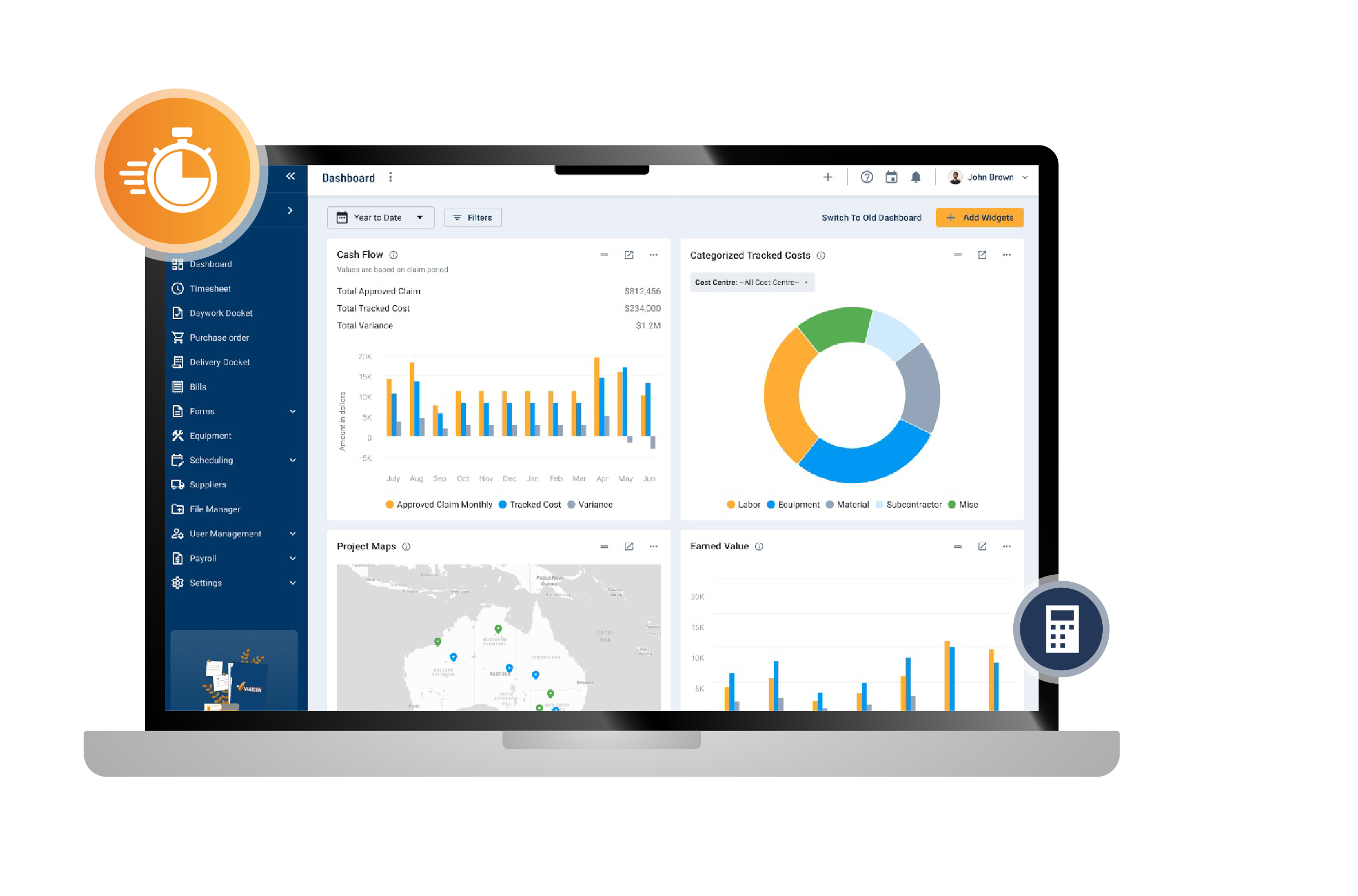
There are three common ways civil contractors handle accounts payable: an inbox and a spreadsheet, an add-on to the accounting system, or AP built into construction software. Each suits a different stage of business. Here's how they compare, and where Varicon sits.
Working with civil contractors like Rawco, Rainbow Group, Peninsula Civil and Joslyn Group
Compare It With Your Current Process
Why Civil Contractors Choose Varicon
Book a demo and we'll walk through accounts payable using your own jobs and workflows. No obligation.
Three systems consolidated into one (Morton Civil Contractors)
Purchase Orders From Site
Accounting Sync
Job Cost Visibility
“We were managing our business through a bunch of disconnected softwares and Excel sheets.”
Rob Zagari General Manager, Rainbow Group
We respect your privacy. Your information will only be used to provide you with a personalised Varicon demo.
The Real Cost of
Manual Accounts Payable
Inbox and spreadsheet: cheap and familiar, and fine for a handful of suppliers. It breaks down once bills need matching to POs and dockets across several jobs.
Accounting add-ons: good at reading invoices and posting them to the ledger. They usually don't know about your jobs, cost codes or delivery dockets.
Construction AP: built around jobs, POs and dockets, so bills are checked and coded before they reach the ledger. That's the category Varicon is in.
The right choice depends on how many jobs you run and how much matching you do now.
Common accounts payable headaches:
Spreadsheets that don't scale. Every new job adds another tab to keep current.
Add-ons that don't know the job. Invoices posted to the ledger without a job or cost code.
Dockets on the side. Delivery evidence kept somewhere else, checked by hand, if at all.
Two systems for one bill. An invoice tool plus a job costing spreadsheet.
Approvals outside the system. Sign-off by email, with no record against the bill.
Ready to Sort Out Accounts Payable?
Book a demo and we'll show you how Varicon handles accounts payable for civil contractors.
Varicon captures supplier bills with OCR and AI extraction, the same as most AP tools.
The difference is what happens next: each bill is matched to its PO and delivery dockets, coded to the job, and approved by role and dollar limit before it's synced.
Your accounting system stays where it is. Xero, MYOB, QuickBooks or Acumatica receives bills that are already checked and coded.
Where construction AP pulls ahead:
Job Coding Built In
Every bill carries its job and cost code from the start.
Three-Way Matching
PO, delivery docket and bill checked together.
Approvals With a Record
Sign-off happens in the system, against the bill, by role and limit.
Committed Costs on the Job
Approved bills show against budget straight away.
One Place Instead of Two
Morton Civil Contractors went from three systems to one.
A system is only as good as its weakest link. If one step still runs on paper, that's where the errors will come from.
Accounts Payable
Accounts Payable Features
The tools civil contractors use every day for accounts payable, connected to the rest of Varicon.
OCR and AI Invoice Capture
Scan supplier bills and let AI extract the details in bulk. Each contract includes 50 free OCR scans a month.
Three-Way Matching
Match POs, delivery dockets and supplier bills to confirm an invoice is right before you pay it.
Approval Rules by Role and Limit
Decide who approves what, and up to what amount. Approvals happen on mobile.
Purchase Orders From Site
Crews raise job-specific POs on their phone and draw them down against multiple dockets and invoices.
Accounting Sync
Send bills and POs to Xero, MYOB, QuickBooks or Acumatica, and pull payment status back.
Job Cost Visibility
See committed and actual costs per job as bills are approved, next to labour and plant.
See It With Your Own Jobs
Book a demo and we'll show you how Varicon handles accounts payable for civil contractors.
“The real-time visibility is saving us well into six figures.”
Greg Joslyn Managing Director, Joslyn Group
Frequently Asked Questions
It depends on scale. A spreadsheet can work with a handful of suppliers, and an accounting add-on helps with posting bills. Once bills need checking against purchase orders, delivery dockets and job budgets, a construction AP tool like Varicon saves the most handling.
Yes. Varicon syncs with Xero, MYOB, QuickBooks and Acumatica, and custom integrations are available on request. Your accountant keeps working where they are; what changes is that bills arrive already checked, coded and approved.
Yes. OCR and AI extraction pull the supplier, amounts and line items from each bill, and bills can be uploaded in bulk. Each contract includes 50 free OCR scans a month.
No, but they help. Matching each bill to its PO and delivery docket is what catches overcharges, price changes and short deliveries before they're paid. Crews can raise job-specific POs on their phone, so it doesn't add office admin.
Ask each vendor to process a week of your real bills in the demo, including a partial delivery and a bill without a PO. That shows how much checking and retyping is left for your team, which is the number that matters.